Gatherers explained
A prompt with memory.
You give it a name, a type, and optionally a schedule. It prompts you. You reply. It stores what you send. Nothing is app-dependent. Nothing gets lost when your phone breaks.
Three decisions. Then nothing else to think about.
Pick a type
Integer, string, float, boolean. The type controls what the gatherer accepts and how it validates input. A pushup count is an integer. A trip report is a string.
Set a schedule (optional)
Daily at 09:00. Every Monday. On demand only. If you set a schedule, Gather sends you a prompt at that time. If you do not, it waits for you to start it manually.
Reply when prompted
You reply with your XMPP client, WhatsApp, or Signal. A single message. Gather saves it with a timestamp and returns confirmation. That is the entire interaction.
Pushups. Daily. No app.
.done to finish, .cancel to stop, .undo to remove the previous fragment, and .help for context-aware help.
The prompt arrives at 09:00
Gather sends a message to your XMPP address at the scheduled time. You see it in whatever client you use: your phone, your laptop, your desktop. Any XMPP client works.
You reply with the number
Just the number. No command syntax needed. Gather knows you are in an active session and expects an integer. It validates the type and rejects anything that does not fit.
It saves and confirms
The response tells you it saved. That is the whole thing. Your entry is stored on your server with a timestamp, the gatherer name, and the value.
Six months later
You have 180 data points. You can graph them, export them, or overlay them with other gatherers. Resting heart rate, sleep, mood. Ask the questions you could not ask from app siloes.
One interface. Many uses.
Daily pushups
Scheduled at 09:00 each morning. Reply with a number. Persist off so each session is independent. Graph the trend over time and overlay with resting heart rate.
Trip report
Always open. Send messages to a dedicated XMPP address. Optionally OMEMO-encrypted. Works from any XMPP client including the one on a borrowed device.
Sleep quality
A 1 to 5 scale that runs every night before bed. Thirty seconds to answer. Overlaid with exercise data it starts to show patterns that no single-purpose app would reveal.
Field notes
No schedule. No structure. Just a place to send observations. Stored with timestamps, queryable, exportable. A journal without the subscription and the data hostage.
What the gatherer list looks like.
Each gatherer shows its schedule, next run time, entry count, and whether persistence is on. Start, pause, or purge records without leaving the page.
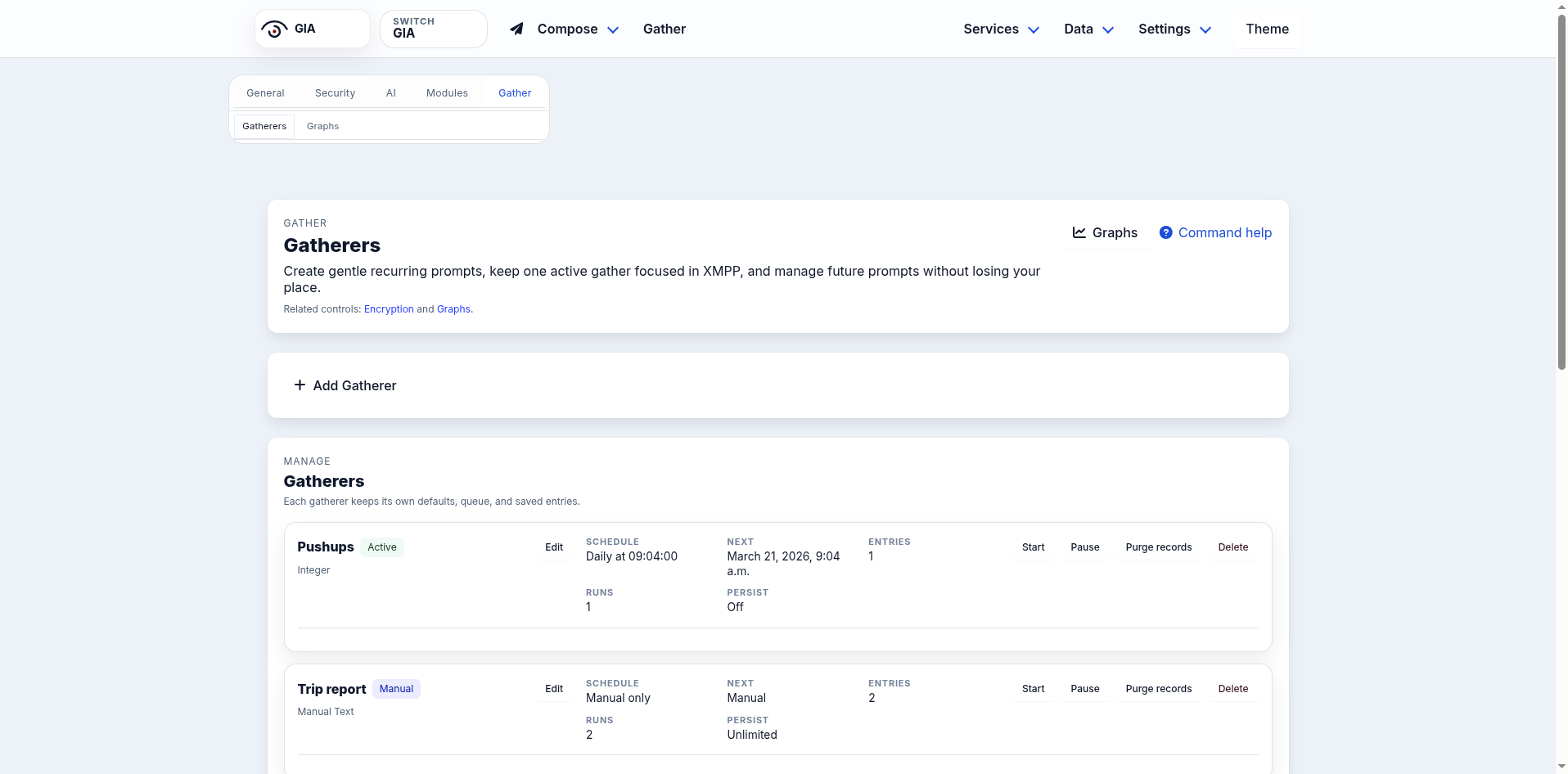
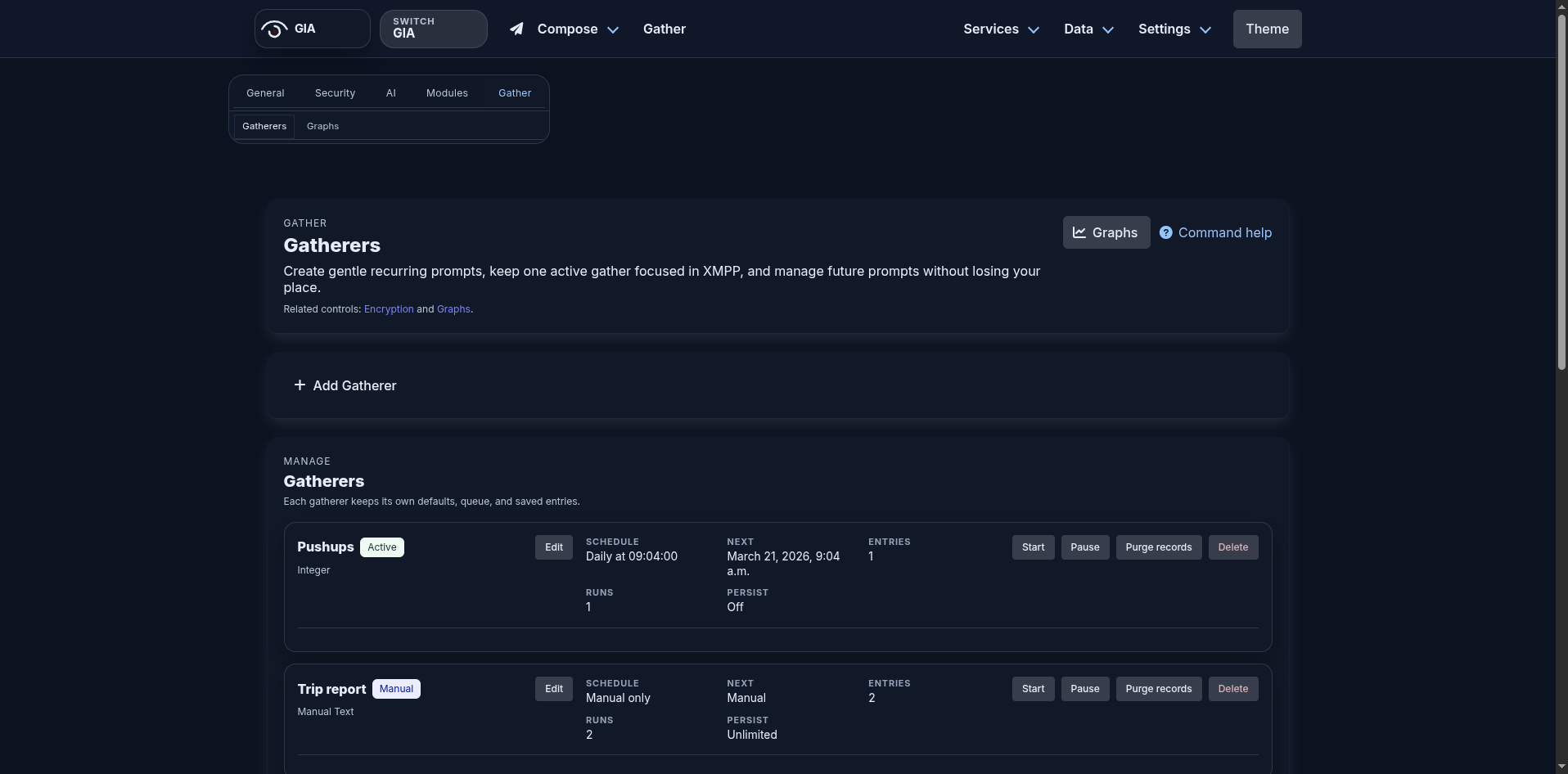
The graphs view plots your numeric gatherers over any time window and lets you overlay multiple series. Screenshots incoming once the graph rendering agent finishes its current pass. Check back here or follow progress at git.zm.is/XF.
Start your first gatherer.
Sign up for early access at hub.zm.is. Set up a gatherer in the first five minutes.